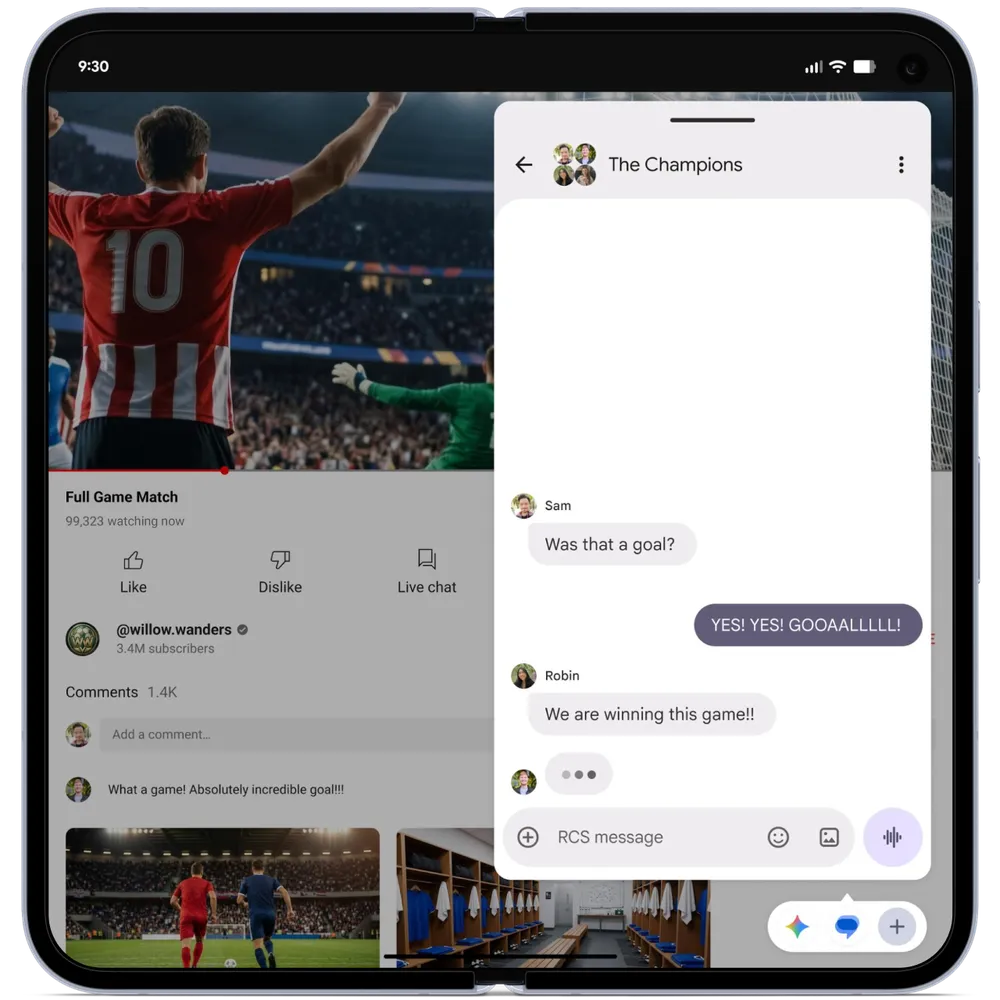
1) Bubbles let you pin apps for quick access all the time.
They’re more than split screen and easier than swiping between apps.
Key Features
- Quick Access: Keep apps like Keep and Messages in Bubbles for easy pop-open interactions
- Stacking: Stack multiple bubbles, tap to open, interact briefly, then close
- No Launcher Required: Access without returning to home screen
- Large Screen Optimization: Dedicated taskbar section for bubbles on large devices.
2)Gaming: Native Game Controller Remapping:
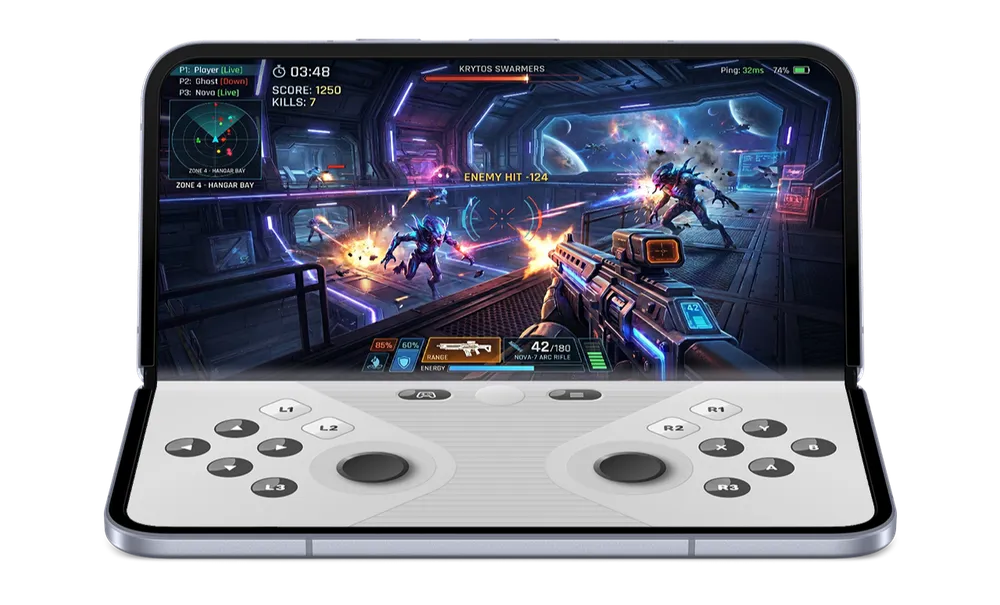
Gaming: Native Game Controller Remapping The Problem Games often expect buttons that don’t match your controller—a classic annoyance.
Android 17 Solution
Native game controller remapping is built into Android 17:
- Use Android’s built-in remap instead of game-specific/controller settings
- Make shoulder buttons do the right thing automatically
- No more crouching when you thought you were shooting an arrow!
This is a genuine quality-of-life improvement for gamers using multiple gamepads.
3. Privacy: One-Time Location Access
One-time location access button: Grant location just for that session
- Auto-revocation: App can’t access location again unless you tap again
- No perpetual access: Prevents unwanted background tracking
4. Smarter “Approximate” Location Privacy
Approximate vs. Precise
Precise: Pinpoint location
- Approximate: Location within larger area
Old Problem
In sparse areas, approximate could still reveal your location easily.
Android 17 Improvement
Approximate zone widens in less populated locations:
- Context-aware privacy: Adjusts based on population density
- True approximation: “Approximate really means approximate no matter where you are”

5. Lightning Round: Quick Updates
Per-App Dark Theme
- Per-app control: Dark theme on individual apps
- Granular control: No all-or-nothing dark mode
Split Screen UI for Hearing Aids
- New interface for split screens
- Hearing aid optimized: Intuitive for hearing aid users
- Audio stream control: Choose streams for hearing aids vs. phone
Audio Upgrades
- Voice Assistant Stream: Separate stream with volume control
- Hearing Aid Integration: Choose streams for hearing aids vs. phone speakers
Quick Settings: Separate WiFi & Mobile Data
- WiFi and mobile data toggles are now separated
- Google heard user feedback on this
- Fan favorite update